Getting started with My Account
Five quick steps to register, add your child, and set up their bus journey.
- 01
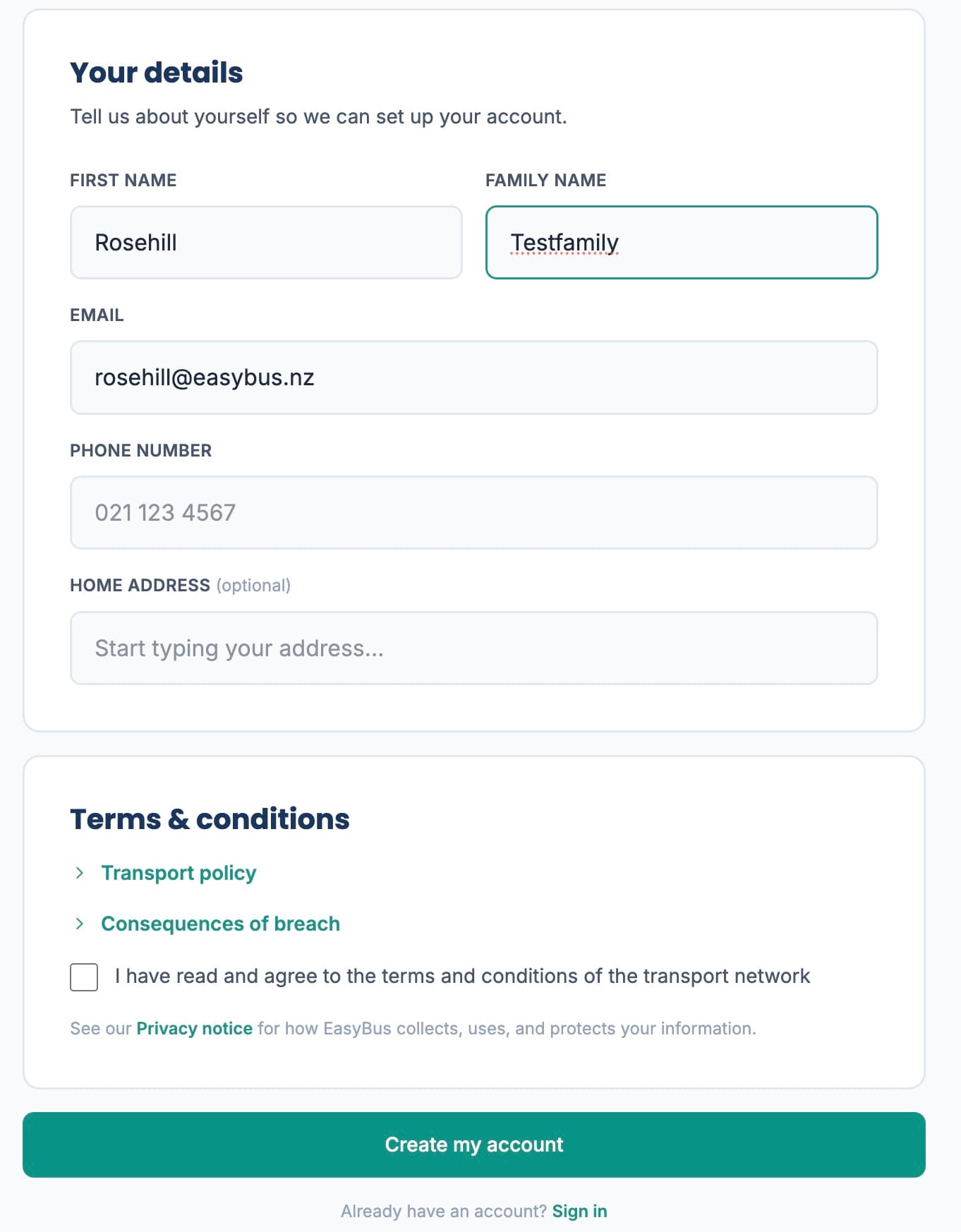
Create your account
Enter your email and a password, then add your name and phone and agree to the transport policy. Tap "Create my account" and you're in.
- 02
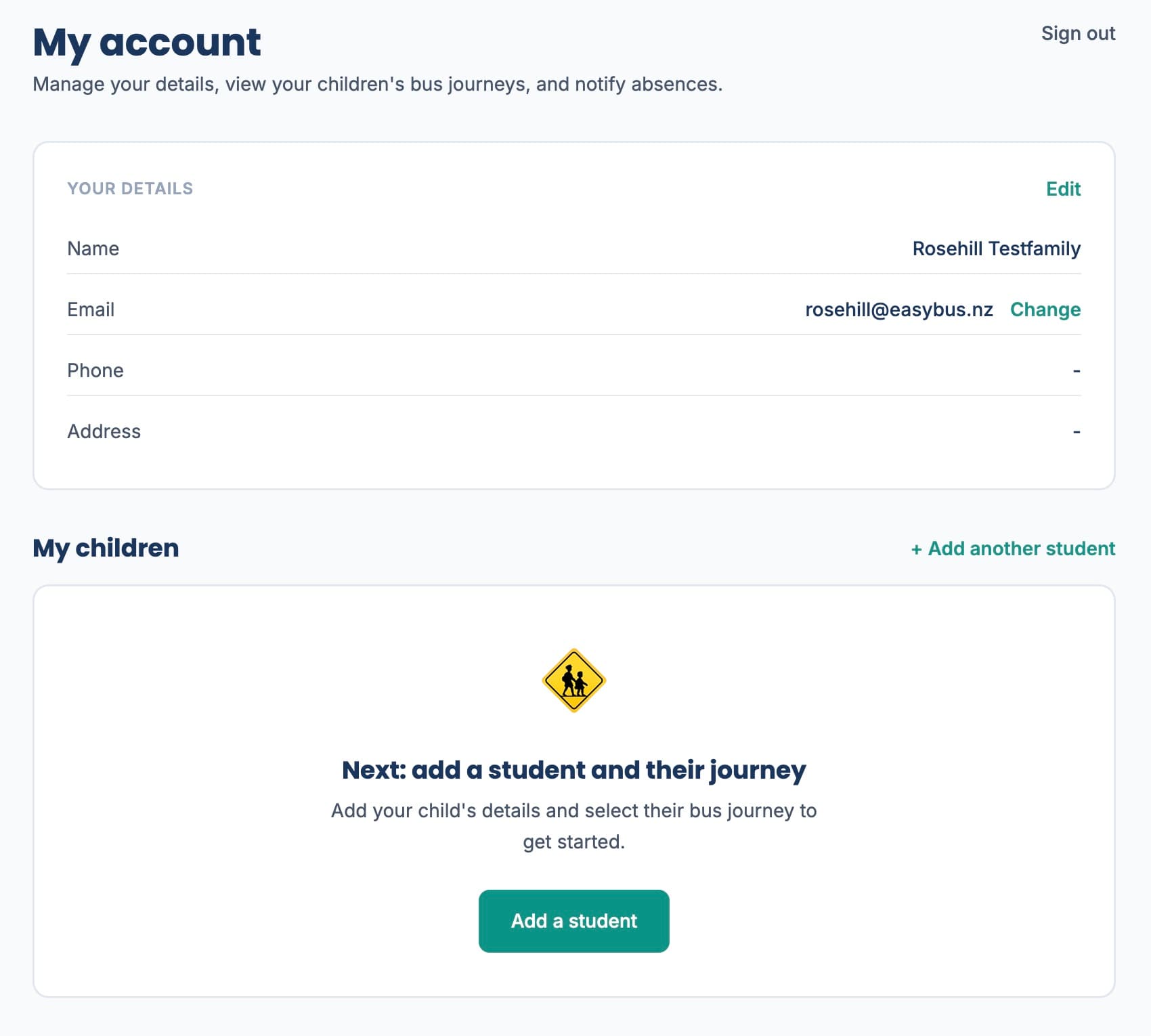
Welcome to My Account
This is your hub. Your details are at the top, so keep them up to date. The next step is to add your child.
- 03
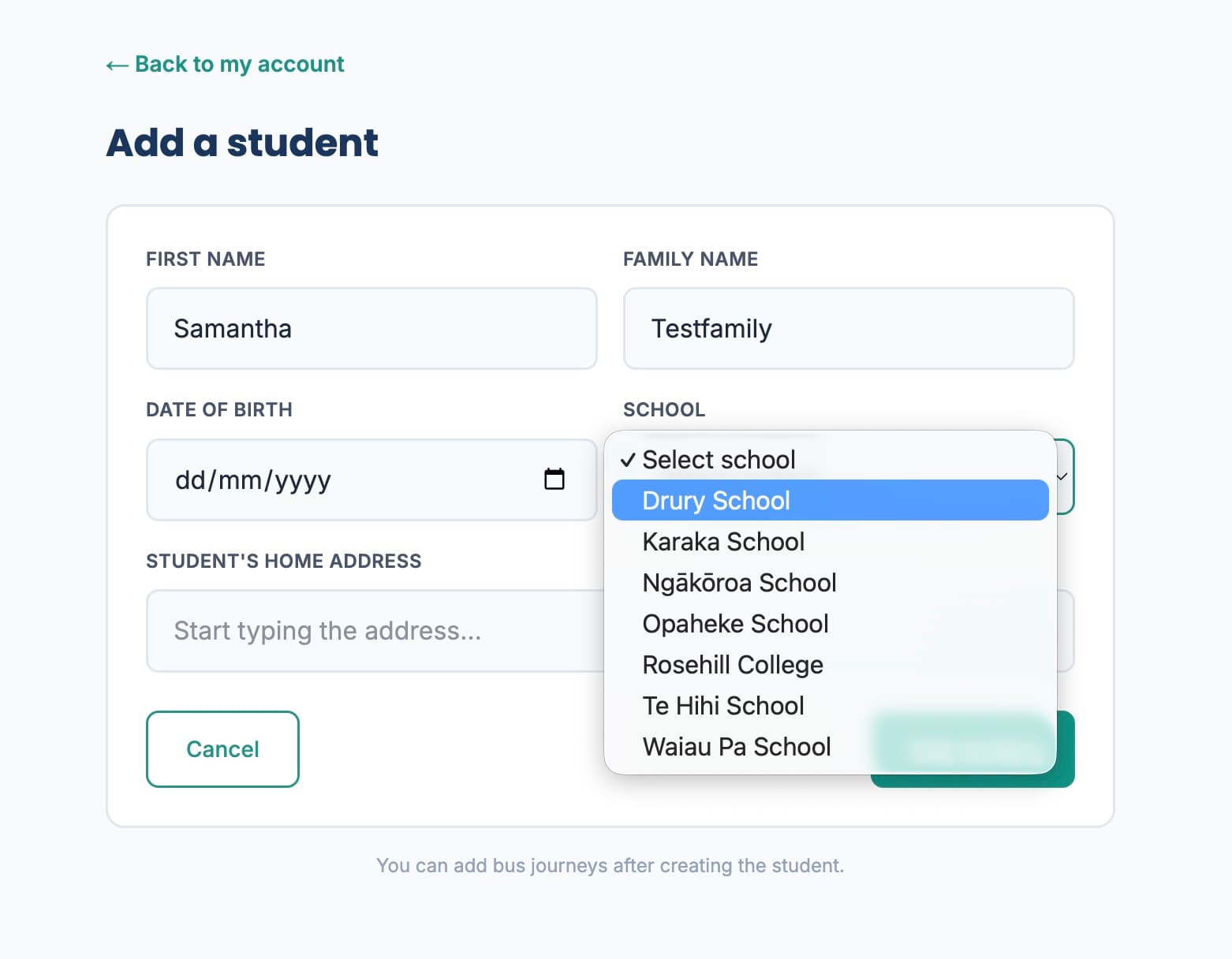
Add your child
Enter their first and family name, date of birth, school and home address (if different from yours). Tap "Add student" when you're done.
- 04
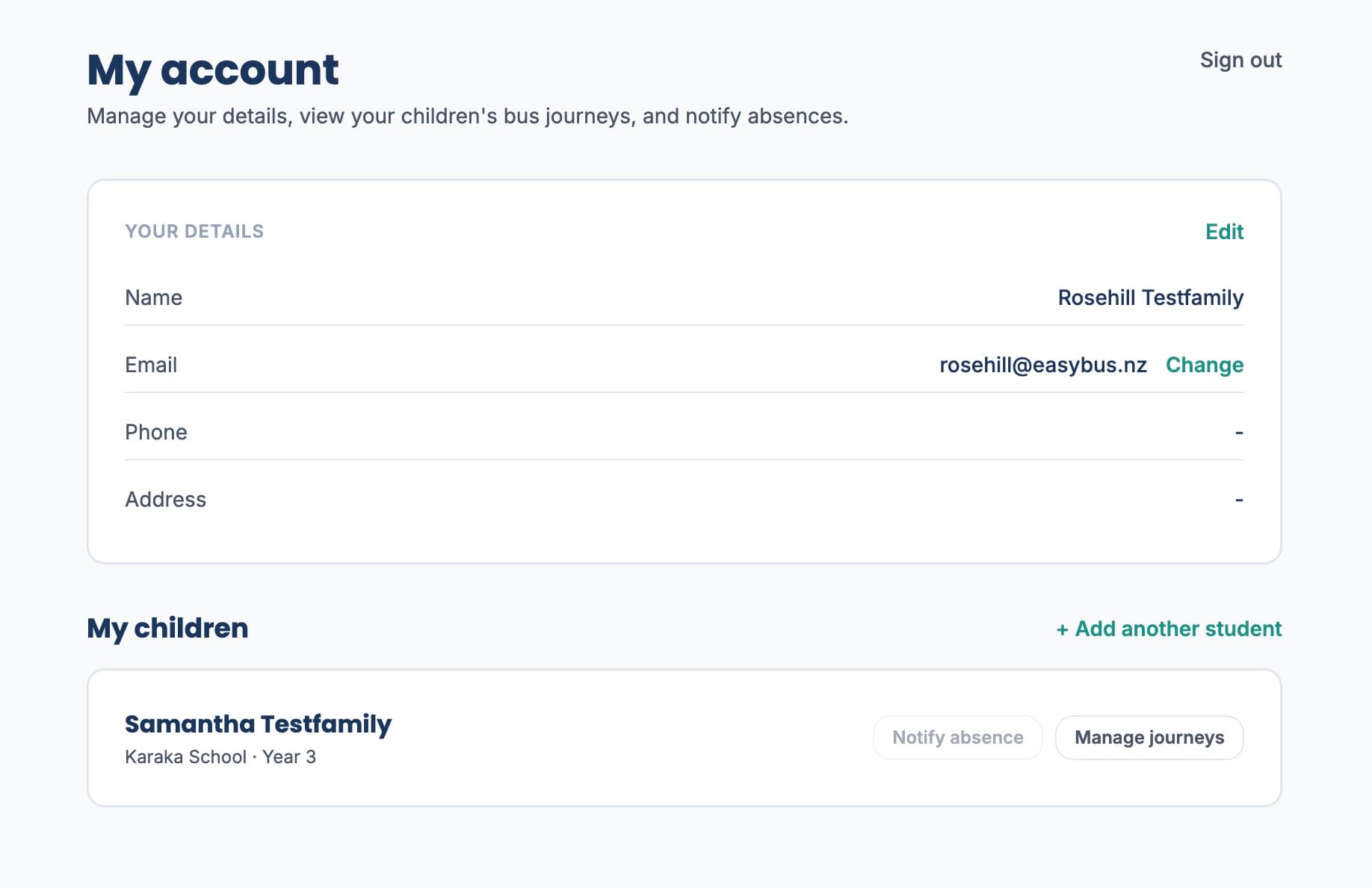
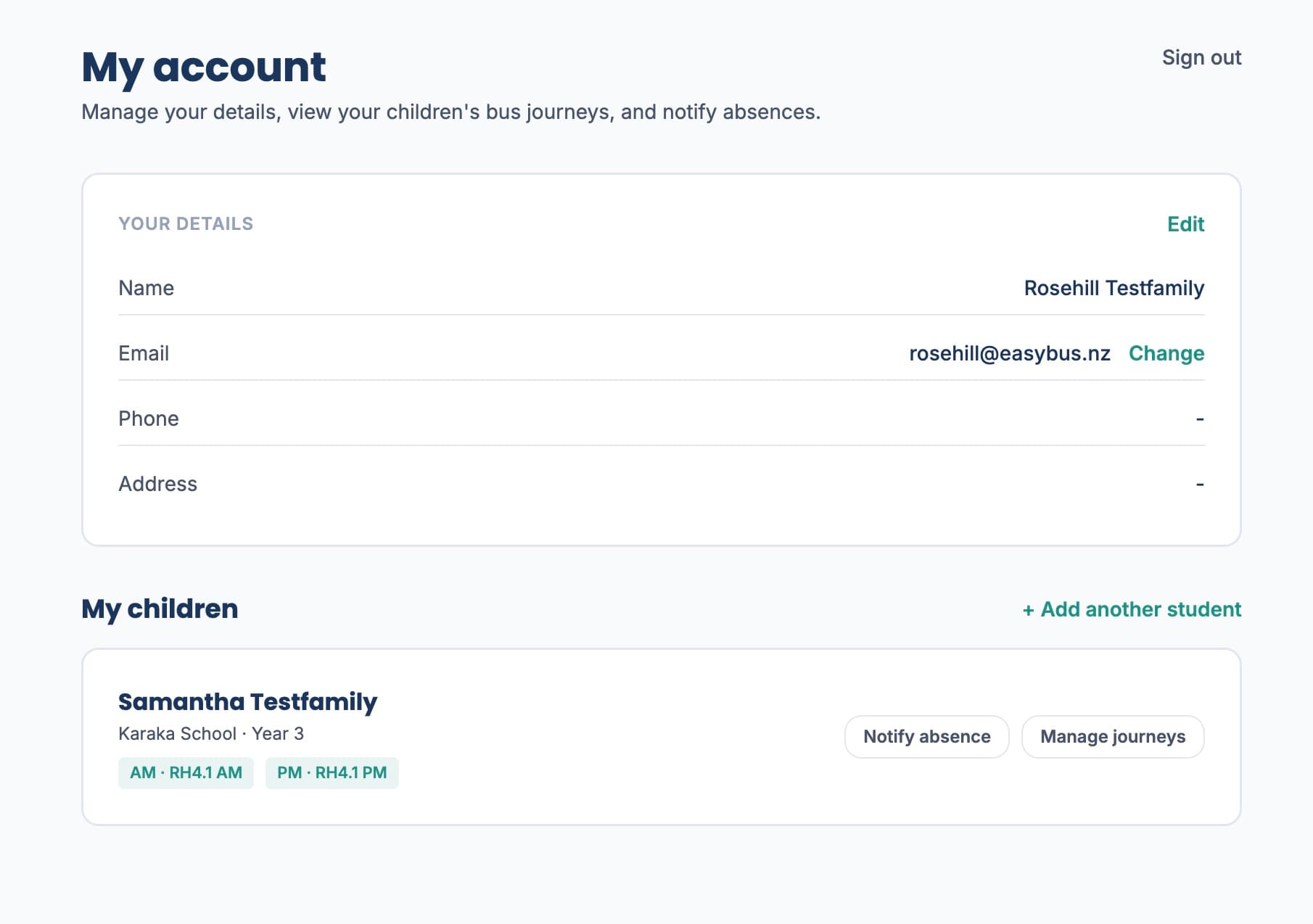
Your child appears in My Account
Your child now shows under "My children". The next step is to add their bus journeys: tap "Manage journeys" on their card.
- 05
Journeys at a glance
Once journeys are added, the morning (AM) and afternoon (PM) routes appear as chips on the card so you can see at a glance how your child is getting to school.
Ready to get your tamariki on the bus?
It takes about two minutes to register and add your first child.
Create my account